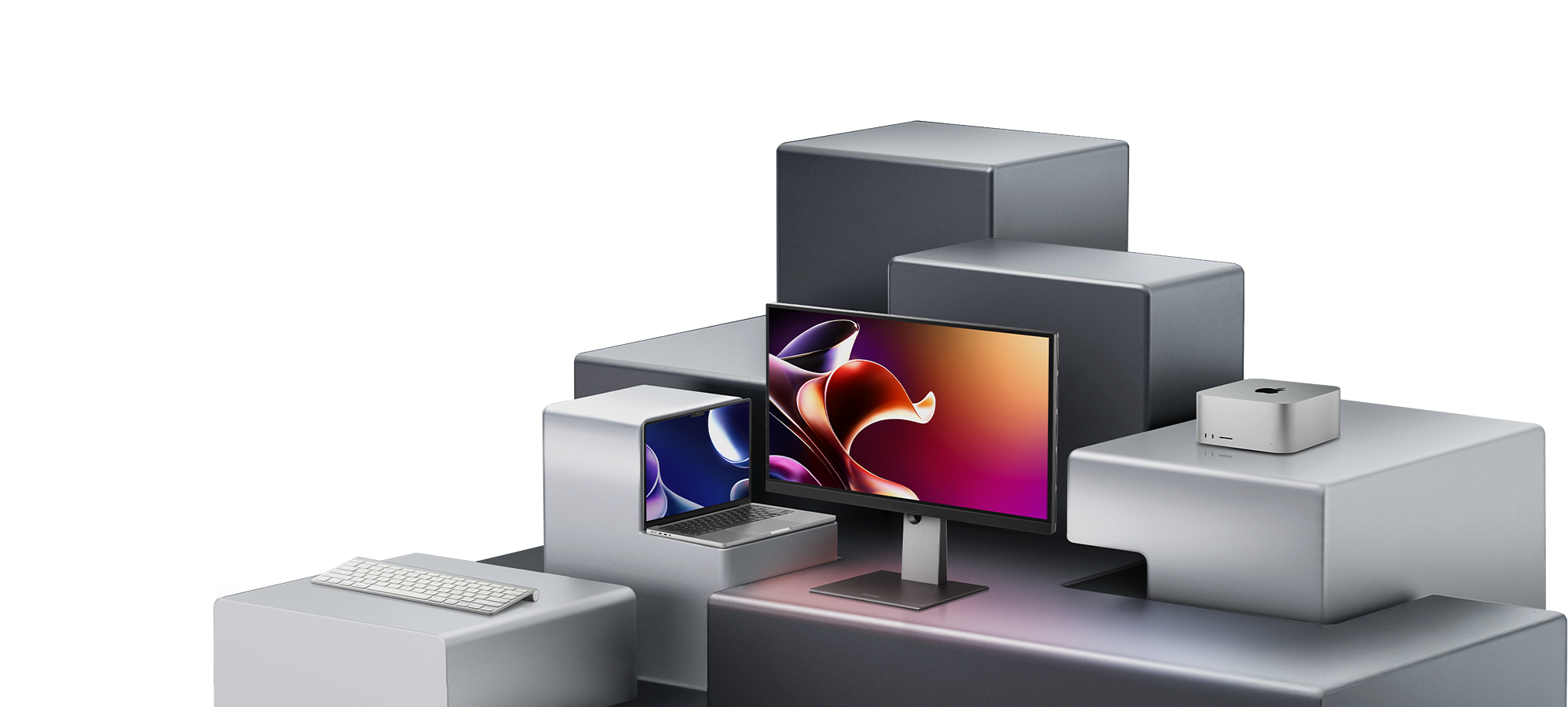

Purpose-Built for Macs
With stunning visual fidelity and full compatibility across devices, the VP88 Series delivers the seamless experience Mac users expect from a monitor.

Ultra-High Pixel Density
Up to 218 pixels per inch (PPI) and 5K resolution for crisp fonts, pristine graphics, and optimal viewing in macOS

Pro-Grade Color Precision
Wide color gamut with up to 99% DCI-P3 coverage, Pantone® certification, and advanced calibration for long-lasting consistency

Native Thunderbolt 4
100W power delivery and 40 Gbps data transfer through a single cable, with daisy-chain support for dual displays up to 5K

Versatile Connectivity
Additional ports for HDMI 2.1, DisplayPort 1.4, USB-C 3.2, and more to allow easy docking of all your devices in one place
Discover the VP88 Series
Our Mac-ready monitors combine essential features with thoughtful engineering to meet diverse professional needs.

See Precision at Work
Whether it’s design or data, the VP88 Series performs with consistency that defines results. Watch how it enables teams to focus on what they do best.


Made-for-Mac Features
Seamless by Design
Expand your workspace with our Mac-optimized monitors. Enjoy true-to-life clarity and fluid continuity from device to display.

Ultra-High Pixel Density
Catch Every Detail
The VP88 Series matches the fine pixel density of MacBook displays, offering up to 218 PPI and 5K resolution. Smooth typography, sharp vector lines, and subtle gradients are all faithfully rendered to create a natural extension of the macOS experience. From UI designs to CAD blueprints, see and deliver exactly what you intend.

Pro-Grade Color Precision
Trust Your Palette
With up to 99% DCI-P3 color gamut coverage and Pantone Validated certification, the VP88 Series reproduces every hue, tone, tint, and shade with uncompromising fidelity. Each monitor is factory calibrated to ensure color accuracy and consistency across devices, minimizing discrepancies and costly production errors.

Native Thunderbolt 4
Power Productivity
Integrated Thunderbolt 4 supports high-speed data transfers at up to 40 Gbps and 100W power delivery with one simple connection, eliminating the need for excess cables and adapters while keeping the VP88 Series perfectly in sync with your Mac. Daisy-chain a second monitor with up to 5K resolution and enjoy the same fast performance.

Versatile Connectivity
Use With Any Setup
The VP88 Series accommodates a broad range of platforms and devices, including MacBooks and Windows PCs. It features HDMI 2.1, DisplayPort 1.4, USB Type-C 3.2, and USB Type-A 3.2 ports, serving as a convenient docking station for your mouse, iPhone, iPad, and more. Everything connects effortlessly so you can stay focused on the work itself.
Enhance Your Experience
Unlock free advanced features and professional-grade tools via Display Portal. ViewSonic companion software helps you stay productive and get the most out of your Mac.

Mac-to-Monitor Control
Enjoy more intuitive viewing on the VP88 Series monitor with ColorPro Display Manager. Adjust volume and brightness using your native function keys or explore on-screen personalization options like ViewMode.
*Mac-to-Monitor Control requires a MacBook model with physical function keys or a Magic Keyboard.
Custom Split Screen
Go beyond macOS’s Split View. vSplit lets you arrange your screen into neat, customizable grids, drag and drop windows between spaces, extend layouts across displays, and more.

Easy Calibration
Quickly calibrate and profile your monitor for consistent color accuracy with Colorbration+. Control display settings like white point, luminance, color space, and gamma.

Precise Color Matching
Explore and match thousands of Pantone® Colors across multiple libraries via ColorPro Sense. Perfect whether you’re designing digitally or drawing from real-world inspiration.
Choose the Best Monitor for Your Mac
Our Mac-ready monitors combine essential features with thoughtful engineering to meet diverse professional needs.
Key Specifications

27″ LCD IPS

5K UHD+
5120 × 2880 (218 PPI)

99% DCI-P3

100% sRGB

AGLR

HDR 400

H/W Calibration

Self Calibration

2× Thunderbolt™ 4

2× USB Type-C 3.2

2× USB Type-A 3.2

HDMI 2.1

DisplayPort 1.4

Do More With Your Mac
The VP88 Series is made for professionals who need precise visuals and effortless integration. Contact our experts or download our free brochure for more information.
See the Bigger Picture
Find out how the VP88 Series embodies advancements in display technologies. Explore resources on color accuracy, connectivity, and more.
-

The Buyer’s Guide to Thunderbolt Monitors
了解更多 -
What Makes a Monitor Mac Compatible? Features and Specs to Know
了解更多 -
How to Choose the Best Monitor for Mac: A Complete Guide
了解更多 -
How to Get Accurate Colors on External Monitors for Mac
了解更多 -
How to Connect Multiple Monitors to a MacBook Pro
了解更多 -
Best Monitor for Mac Pro: The Guide
了解更多
Frequently Asked Questions
-
Do I need a special monitor for my Mac?
Choosing a display designed for macOS integration can make a big difference. The ViewSonic ColorPro VP88 Series, for instance, offers ultra-high pixel density for razor-sharp visuals, with the VP2788-5K’s pixel density comparable to that of MacBook displays. Each VP88 Series monitor also has a wide color gamut with hardware calibration for long-lasting color accuracy and connects to Macs directly via Thunderbolt 4 or USB-C, delivering up to 100W of charging. It’s built to complement your Mac’s performance and visual standards.
-
What makes a monitor “Mac compatible”?
A truly Mac-compatible monitor does more than just connect. Look for displays that have high pixel density, wide color gamut coverage, and optimized scaling for MacOS. ViewSonic’s ColorPro VP88 Series offers all these features through a Thunderbolt 4 connection, ensuring seamless use with MacBook Pro, MacBook Air, Mac Studio, and other models.
-
Do ViewSonic monitors work with Apple silicon (M1, M2, M3, M4) Macs?
Yes. The ColorPro VP88 Series is fully compatible with Apple silicon Macs, delivering smooth plug-and-play performance without additional drivers or adapters. You can connect the monitor to your Mac directly via Thunderbolt 4 or USB-C and enjoy instant recognition by macOS.
-
Do I need an adapter to connect the monitor to my MacBook?
No. You can directly connect your ViewSonic ColorPro VP88 Series monitor to a Mac computer with a single Thunderbolt 4 or USB-C cable. No dongles or extra adapters needed.
-
Can I charge my MacBook through the monitor?
Yes. Monitors like ViewSonic’s ColorPro VP88 Series, which offer power delivery (PD) through USB-C or Thunderbolt 4, let you charge your MacBook while you work. The VP88 Series provides up to 100W PD, so a single cable handles power, data, and video.
-
Can I use dual monitors with my MacBook?
Yes. With daisy chain support via Thunderbolt 4, VP88 Series monitors let you run up to dual 5K displays from a single MacBook connection. For detailed guidance on the exact number of monitors supported by your setup, refer to the Daisy Chain Solutions eBook.
-
Is a 4K or 5K monitor better for MacBook Pro?
A 5K monitor best matches the pixel density of a MacBook’s Retina display, offering ultra-sharp text and true-to-life visuals. However, 4K monitors also deliver exceptional detail and color precision. The ColorPro VP88 Series by ViewSonic offers both resolutions, making it ideal for designers, editors, and anyone seeking a balance of clarity and performance.
-
Why should I choose a Thunderbolt 4 monitor for my Mac?
Thunderbolt 4-compatible monitors offer maximum compatibility and data transfer speed for Mac users. They enable faster data transfer, daisy-chain support for multi-display setups, and device charging through one port. The ColorPro VP88 Series from ViewSonic includes Thunderbolt 4 ports in addition to USB-C and USB-A ports, making it ideal for power users managing multiple screens and peripherals.
-
Can I connect accessories like a keyboard or SSD directly to my monitor?
Yes. Many monitors for Mac now double as docking stations. ViewSonic’s ColorPro VP88 Series, for example, includes Thunderbolt 4, USB-C, and USB-A ports, so you can connect drives, cameras, or input devices directly to the monitor.
-
What software comes with the monitor?
Each VP88 Series monitor offers free access to the ColorPro Software Suite, with multiple applications available for download via ColorPro Display Portal. Use ColorPro Display Manager for convenient Mac-to-monitor controls, vSplit for screen customization, Colorbration+ for advanced hardware calibration, and ColorPro Sense to explore and match Pantone® Colors across libraries.
-
What ergonomic features does the VP88 Series offer?
The ViewSonic ColorPro VP88 Series is designed for long, comfortable work sessions. Each monitor includes a fully adjustable ergonomic stand—supporting height, tilt, swivel, and pivot adjustments—so you can find the perfect viewing angle. Eye-care technologies like Flicker-Free and Blue Light Filter help reduce strain during extended use, while Anti-Glare Low Reflection (AGLR) technology minimizes reflections without sacrificing color or contrast, making it ideal for bright studios or offices.
Ultra-High Pixel Density
Why Pixel Density Matters
Pixel density defines how tightly pixels are packed within a display, while resolution refers to the total number of pixels on the screen. A high-resolution display with more pixels per inch produces a sharper, more accurate image that maintains clarity even when viewed up close or scaled within MacOS. By offering the same pixel density as Macs, the VP88 Series ensures visuals look consistent across displays.
Pro-Grade Color Precision
Why Color Precision Matters
Color precision ensures on-screen colors closely match their real-world counterparts. A display’s color gamut defines the range of colors it can reproduce, and DCI-P3 is a wider gamut that reveals richer, more realistic tones than typical sRGB screens. Pantone validation certifies that the display meets trusted industry color standards, while factory calibration means every unit is fine-tuned for consistent, true-to-life results.
Native Thunderbolt 4
Why Thunderbolt 4 Matters
Thunderbolt 4 connects your Mac to the display through a single cable that handles power, video, and data all at once. Its bandwidth is capable of moving large files and creative assets instantly, while its high power delivery keeps your Mac charged without a separate adapter. The connection also supports daisy chaining, allowing a second display to be directly linked via the monitor for a cleaner, more efficient workspace.
Versatile Connectivity
Why Connectivity Matters
Comprehensive connectivity ensures effortless integration with nearly any system or device. HDMI 2.1 and DisplayPort 1.4 provide high-bandwidth video for modern Macs, PCs, and media equipment, while USB-C 3.2 and USB-A 3.2 ports enable fast data transfer with external drives, cameras, and input devices. Together with Thunderbolt 4, this range of connections allows for more flexible setups without adapters or hubs.